SETTE Tecnologia: Service Desk
SaaS Service Desk: an employee portal to open tickets and book support, an IT team console with queue, SLA and schedule, and a mobile app, from UX to back end
- My role
- UX/UI Designer · Full Stack Developer
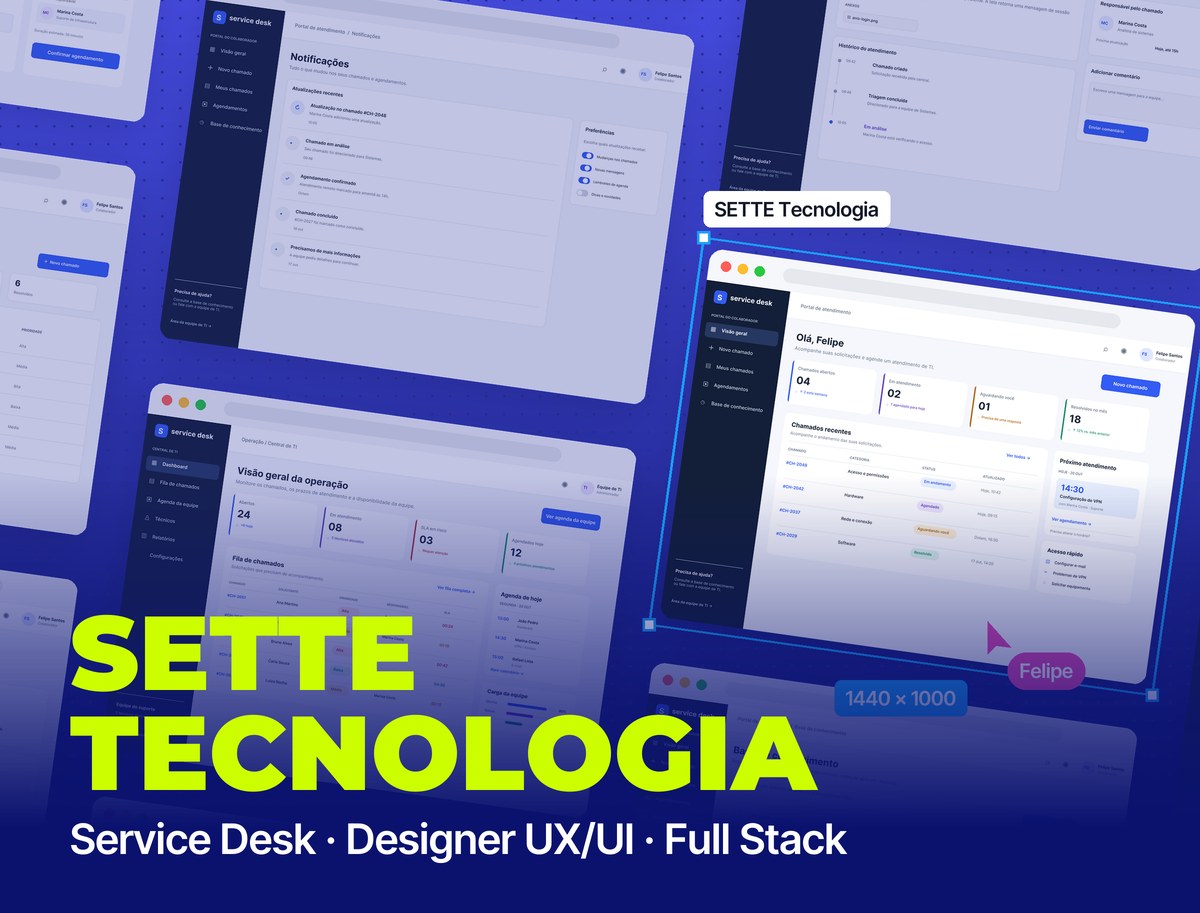 SETTE Tecnologia
Context
SETTE Tecnologia needed to organize the IT support it provides to employees. I built the Service Desk from scratch as a SaaS product: I designed the experience in Figma and developed the entire system, from the database to the web and mobile screens.
Challenge
Support requests arrived by email, chat and in the hallway, with no ticket number, no deadline and no owner. People asking for help didn't know when they'd be served; the IT team couldn't see the whole queue, which deadlines were about to be missed or who was overloaded. The system had to serve two audiences with opposite needs, the employee who wants a quick fix and the team that needs control, and be born ready to serve several companies with their data kept apart.
Employee portal
The side of the person asking for help: open a ticket, book a time slot and know where things stand, without having to ask anyone.
- 01 / 07
Overview
The first screen answers "how are my requests going?": open tickets, tickets in progress, waiting on the employee and resolved this month, recent tickets with color-coded status, the next scheduled session and shortcuts to the most common issues.
- 02 / 07
Book a support session
Three steps in one place: the type of support as cards (hardware, software, network and access, email), the description and attachments, and beside them a calendar that only shows the free slots of whoever handles that category, with the assigned technician, estimated duration and a choice between video call or in person.
- 03 / 07
Booking confirmed
The ticket number, date, type of support and assigned technician in one summary, with a note that the confirmation arrives by email and where to follow the ticket.
- 04 / 07
My tickets
All requests with search by ticket number or subject, a status filter and counters at the top. Each row shows category, opening date, status and priority, and "waiting on you" in amber makes it clear when the ball is in the employee's court.
- 05 / 07
Ticket detail
The description and attachments, the handling timeline (created, triage, under review), who is responsible and when the next update is due, and a field to talk to the team without leaving the ticket.
- 06 / 07
Knowledge base
Before opening a ticket, the answer may already exist: search by subject, system or error message, articles by category and the most viewed ones with reading time. The search understands the meaning of the sentence, not just the exact words.
- 07 / 07
Notifications
Every change to a ticket becomes a notice: team update, triage, booking confirmed, closure and a request for more information. Alongside, the employee chooses what they want to receive.
IT team console
The side of the people providing support: the same data, a different question. Instead of "how is my request?", "what needs me right now?".
- 01 / 02
Operations overview
Open tickets, tickets in progress, SLAs at risk and today's bookings at the top. The queue shows requester, priority, assignee and the time left before the SLA is breached, in red when it gets tight. Alongside, today's schedule and each technician's workload, to rebalance before someone is overloaded.
- 02 / 02
Team schedule
The whole week on an hourly grid, with each technician in their own color and the subject in each block. At the top, today's sessions, available staff and what is awaiting confirmation; on the grid, a scheduling conflict shows up in red before it becomes a problem.
On mobile
For people away from their desk: open a ticket in two taps, check on requests and see upcoming booked sessions.
Architecture
A SaaS architecture built to grow: several companies on the same system with data isolated in the database, deadlines that can't depend on someone looking at the screen, and the same back end serving web and app.
Rules the product guarantees
The important rules live in the back end and the database, not just in the interface:
In numbers
A two-sided product with the same visual system on web and mobile.
10
high-fidelity desktop screens
3
steps to book a support session
4
access roles with their own permissions
Visual System
A work-tool look: a navy sidebar, blue-gray background and white cards, blue only for the main action and one color per status, so a ticket can be read at a glance.
Palette
Action Blue
#335CF5
Buttons, links and active item
Navy
#131F38
Side menu
In-Progress Purple
#5145CD
In progress and booked
Amber
#B2660F
Waiting on you and medium priority
SLA Red
#BF2E38
SLA at risk and high priority
Resolved Green
#148F61
Resolved and low priority
Typography
Inter
400 / 500 / 600 / 700
Single typeface: headings, tables and numbers
Takeaways
The same ticket needs two readings: for the employee, "when will I be served?"; for the team, "how much time is left?". Designing both sides together and moving the critical rules (isolation between companies, SLA and scheduling conflicts) into the database made the product reliable without relying on manual care.
Other projects to explore.
 SaaS · Legal
Valverde Jurídico
Legal management SaaS for a law firm: clients, cases, calendar, client portal and website, from UX to back end
See project SaaS · Inventory Management
Mimos Papelaria
SaaS inventory management system for a stationery store: products, stock movements, categories, suppliers and reports, with UI/UX, a React front end and the back end
See project Education & Government
Trilhas do Futuro
Educational platform for the Minas Gerais State Government
See project